
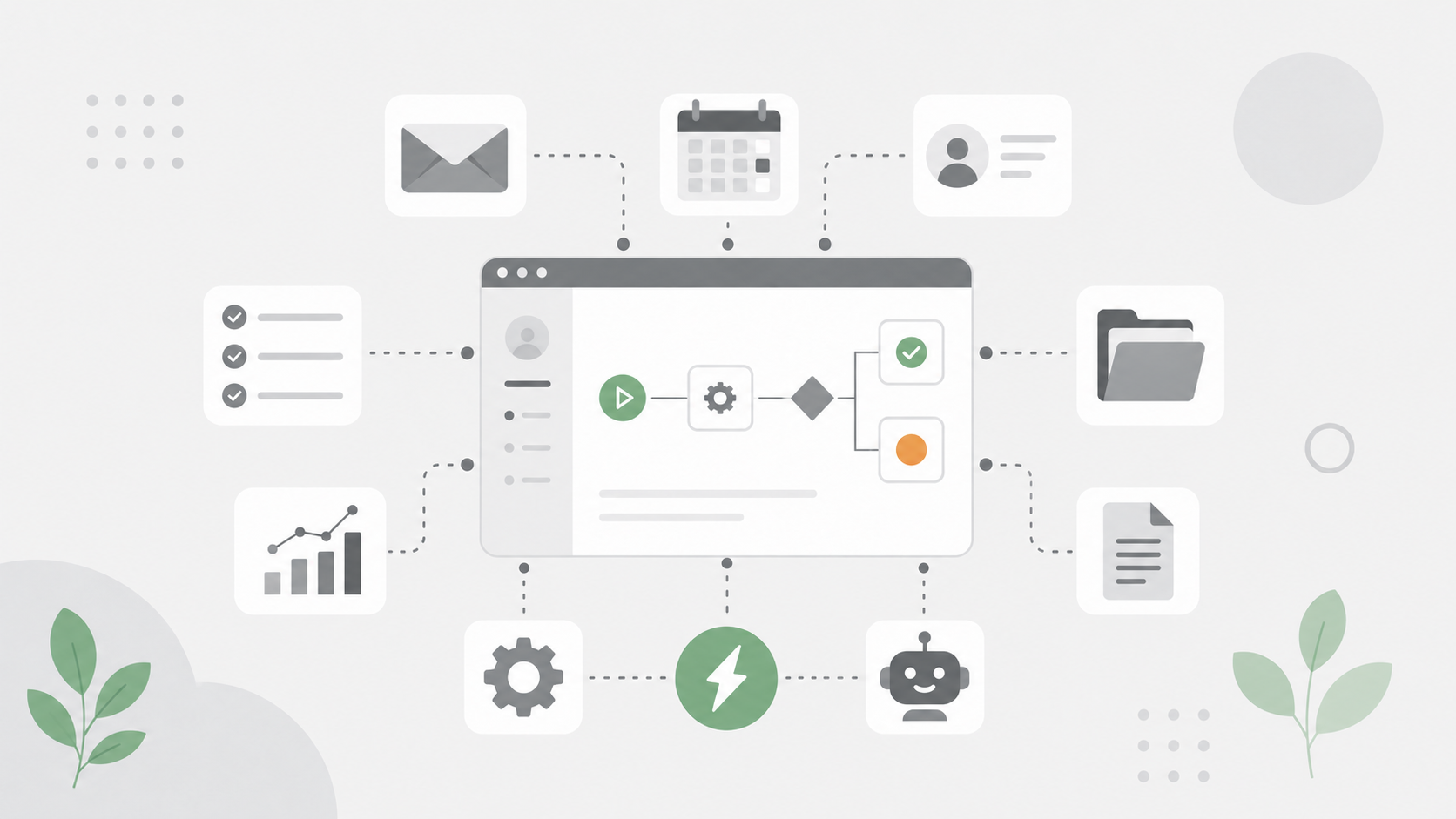
If you run a small or medium enterprise, you already know the feeling: too many manual tasks, not enough hours, and a growing list of processes that should run themselves but don’t. Workflow automation tools solve this by executing repetitive tasks automatically-moving data between apps, sending follow-ups, routing approvals, and syncing customer data across your tech stack without constant human intervention.
The impact is hard to ignore. Businesses save an average of 114 hours per employee per year through automation, and workflow automation tools help SMEs boost team productivity by up to 30%. Meanwhile, 77% of small businesses now use at least one AI tool, signaling that small business automation has shifted from a luxury to a baseline expectation.
But with so many automation tools on the market, picking the right one is its own challenge. This guide breaks down the seven best automation tools for SME workflows in 2026, explains how we evaluated them, and helps you match the right tools to your specific business needs.
How We Chose the Best Automation Tools for SMEs
Not every automation platform is built with small business owners in mind. Enterprise tools often come loaded with advanced features that demand dedicated IT staff. We focused on criteria that matter to SMEs operating with limited technical resources and tight budgets.
Here’s what we evaluated:
- Ease of use: Tools that require more than two hours of training see roughly 40% lower adoption in the first month among small businesses. We prioritized platforms with a drag and drop interface, clear onboarding, and minimal technical setup.
- Affordability: Free tiers, transparent pricing, and predictable costs matter. Hidden charges for premium connectors or AI usage can catch SMEs off guard.
- Integration capabilities: If a tool can’t connect to your existing systems-email, CRM, accounting, calendars-it creates data silos instead of solving them.
- Scalability: Scalable automated workflows can handle higher transaction volumes as businesses grow. We looked for tools that grow with you without sudden price jumps.
- ROI and payback period: Workflow automation platforms typically provide a fast return on investment for businesses using multiple cloud applications. SMEs commonly see payback within 4 to 10 weeks depending on the workflow.
- Support and maintenance: How easy is it to troubleshoot, monitor, and update workflows without dedicated engineering staff?
- Security and governance: Security controls, audit logs, and compliance features-especially for finance, health, or legal contexts.
We also weighed how well each tool handles AI automation features, since AI-powered automation tools can now handle tasks that require human judgment, not just simple if-then rules. And because 95% of IT leaders prioritize workflow automation in their organizations, we ensured our picks reflect where the market is heading.

Top 7 Automation Tools for SME Workflows
1. Zapier
Zapier is a no-code automation platform that chains triggers and actions-called Zaps-across a massive library of apps. It’s the go-to for SMEs that need to automate tasks across multiple systems without writing a line of code.
Why It Stands Out
Zapier supports integrations with over 3,000 apps, making it the broadest connector in the space. Workflow automation tools can integrate with over 3,000 apps through Zapier alone-covering everything from CRMs and email platforms to social media schedulers and accounting software. Most users can spin up their first working automation in under an hour.
Best For
Small business operations that rely on separate tools for different functions. If you’re using one app for email, another for your CRM, and a third for project management, Zapier ties them together without requiring you to rebuild your stack.
Key Strengths
- No coding required; visual builder with strong onboarding
- Extensive template library and active community
- Free plan available; paid plans start around $19.99/month
- Fast time to value for non-technical users
Possible Limitations
- Gets expensive at high task volumes-cost per task scales up
- Limited support for complex workflows with deeply nested branching logic
- Less control over data privacy compared to self-hosted options
2. HubSpot
HubSpot is an all-in-one customer platform combining CRM, marketing automation, sales, and service hubs. Its workflow automation is tightly woven into the customer lifecycle, from lead capture to retention.
Why It Stands Out
Instead of stitching together point solutions, HubSpot offers a unified platform for managing customer interactions, marketing workflows, and sales pipelines. Integrated solutions streamline workflows across multiple business functions, and integrated platforms reduce costs compared to standalone tools.
Best For
SMEs whose primary automation goals center on customer relationships-lead nurture sequences, customer segmentation, email campaigns, and service follow-ups. It’s especially strong for businesses investing in marketing automation that spans content, email, and social media.
Key Strengths
- Free tier covers basic CRM and marketing features
- Native CRM integration means customer data stays centralized
- AI-powered features including predictive lead scoring and content tools
- Strong analytics and reporting built in
Possible Limitations
- Can be overwhelming for very small teams-feature overload is real
- Higher tiers carry significant costs, including onboarding fees up to $3,000
- Some AI features have usage limits tied to credit-based billing
3. Microsoft Power Automate
Microsoft Power Automate brings enterprise-grade business process automation to SMEs already embedded in the Microsoft 365 ecosystem. It supports traditional workflow automation, robotic process automation, and AI-driven flows.
Why It Stands Out
If your team lives in Outlook, Teams, SharePoint, and Excel, Power Automate connects to those tools natively. A Forrester study found 248% ROI over three years with payback in under six months-making it one of the strongest business automation investments when deployed correctly.
Best For
SMEs already using the Microsoft ecosystem, especially those in compliance-sensitive sectors like finance or healthcare that need enterprise security and governance.
Key Strengths
- Deep integration with Microsoft 365, Dynamics, and Azure
- Supports robotic process automation for desktop-based workflows
- Strong governance, authentication, and compliance features
- Automation capabilities extend to unattended background flows
Possible Limitations
- Outside the Microsoft stack, connectors can be limited or carry extra costs
- Complex pricing structure: per-flow, per-user, and premium connector fees
- Steeper learning curve for advanced features and RPA configuration
4. Make (formerly Integromat)
Make is a visual workflow automation tool built for multi-step workflows with branching logic, data transformations, and conditional actions. It delivers sophisticated automation at a price point that many SMEs find more accessible than alternatives.
Why It Stands Out
Make’s flowchart-style builder makes complex processes easier to visualize and debug. Make offers a free plan with more generous limits than Zapier, giving SMEs room to test and build before committing budget. It also supports AI-powered steps like document parsing in recent versions.
Best For
SMEs that need multi step workflows going beyond simple “trigger-action” patterns-data enrichment, conditional routing, or syncing information across operational workflows.
Key Strengths
- Visual drag and drop interface for building complex workflows
- Cost-effective at mid-to-high volumes compared to proprietary alternatives
- Supports branching logic, error handling, and data transformation
- Growing template library and community
Possible Limitations
- Steeper learning curve, especially for debugging and error handling
- Fewer connectors for extremely niche apps (though expanding rapidly)
- UX can feel less polished for completely non-technical users

5. QuickBooks
QuickBooks is primarily accounting and financial workflow software, but its newer versions-particularly QuickBooks Online Advanced-include automation features for invoice processing, approval routing, bill management, and expense management.
Why It Stands Out
For SMEs where finance is a major bottleneck, automating accounts payable, invoice reminders, and purchase order approvals delivers measurable ROI. Common automation opportunities for SMEs include lead capture and invoice processing, and QuickBooks handles the latter directly. QuickBooks offers a 30-day free trial for each plan, so you can test before committing.
Best For
SMEs prioritizing financial process automation-recurring billing, vendor bill approvals, estimate workflows, and payment reminders. Especially valuable if you already use QuickBooks for accounting.
Key Strengths
- 60+ workflow templates for invoices, estimates, and purchase orders
- Conditional logic, approval groups, and automatic notifications
- Financial data stays centralized, reducing the need for manual data entry across systems
- Industry-standard accounting with strong integrations
Possible Limitations
- Limited to financial workflows-not designed for project management, CRM, or marketing
- Advanced workflow templates may only be available in higher-priced tiers
- Less flexible branching logic compared to dedicated workflow automation tools
6. Asana
Asana is a project management and task management platform that increasingly embeds automation and AI directly into how teams plan, track, and deliver work. Its newer “AI Teammates” feature introduces agentic capabilities to team workflows.
Why It Stands Out
Asana bridges the gap between project management tools and automation platforms. Automation tools can enhance collaboration by synchronizing information across departments, and Asana does this natively-combining workflow management, dependencies, scheduled triggers, and AI agents within one workspace.
Best For
SMEs with project-based work, cross-team coordination needs, or marketing and creative teams that need visibility into who’s doing what and when.
Key Strengths
- AI Teammates for tasks like auto-drafting briefs and compliance checks
- Scheduled triggers and time-based rules automate recurring operational workflows
- Strong integrations with Slack, Teams, Gmail, and other management tools
- Workflow templates, timelines, and dependencies help identify bottlenecks
Possible Limitations
- Some AI agentic features are newer and may require higher-tier plans
- For cross-app data syncs, Asana may need pairing with a tool like Zapier or Make
- Learning curve for configuring complex rules and custom fields
7. n8n
n8n is an open-source automation platform that can be self-hosted or cloud-hosted. It gives technically capable SMEs full control over data, deployment, and customization-something most proprietary tools can’t match.
Why It Stands Out
In a real-world case study, a lead-processing workflow automated via n8n reduced execution time from roughly 185 seconds to 1.2 seconds-a 151× speedup. The error rate dropped from 5% to zero. Automating tasks can reduce human error and improve accuracy, and n8n proves it at scale.
Best For
Tech-savvy SMEs with specific data governance requirements, those in regulated industries, or businesses needing custom integrations with on premise systems or internal databases.
Key Strengths
- Open-source code with full data control and self-hosting options
- Highly customizable with branching logic, webhooks, and custom code
- No per-task pricing for self-hosted deployments
- Strong for complex processes involving sensitive data
Possible Limitations
- Requires technical skills for setup, hosting, and ongoing maintenance
- Fewer templates and less community support for non-technical users
- Self-hosting introduces infrastructure overhead (security, updates, scaling)
Quick Comparison of the Best Automation Tools
Here’s a side-by-side view to help you narrow your shortlist. Automating workflows can save businesses hours each week-the key is matching the tool to your workflow.
Tool | Best For | Free Plan | Technical Skills Needed | Key Advantage |
|---|---|---|---|---|
Zapier | Connecting multiple apps without coding | Yes | Low | Broadest app library |
HubSpot | All-in-one customer relationship automation | Yes | Low-Medium | Integrated solution for CRM + marketing |
Power Automate | Microsoft-centric SMEs | Limited | Medium | Deep Microsoft ecosystem integration |
Make | Complex workflows on a budget | Yes | Medium | Visual builder + cost-effective |
QuickBooks | Financial process automation | 30-day trial | Low | Industry-standard accounting automation |
Asana | Project management and team workflows | Yes | Low-Medium | Team collaboration + AI agents |
n8n | Tech-savvy SMEs wanting full control | Yes (self-hosted) | High | Open-source, full data ownership |

How to Choose the Right Automation Tool for Your SME
Picking the best workflow software isn’t about finding the “objectively best” tool-it’s about finding the right fit. Here’s how to frame the decision.
Choose Based on Your Current Tech Stack
Your existing systems should drive your choice. If you’re running Microsoft 365 across the entire business, Power Automate is the natural fit. If you rely on a mix of separate tools from different vendors, Zapier or Make will connect them without forcing you to rebuild.
Choosing an automation platform should consider ease of use and compatibility with existing software. Unified systems prevent data loss and syncing errors during updates, so prioritize tools that integrate natively with your current stack rather than forcing workarounds.
Choose Based on Your Team’s Technical Skills
Be honest about your team’s technical capabilities. No-code tools like Zapier and HubSpot let small business owners build automated workflows with minimal human intervention and no developer support. Make sits in the middle-powerful but requiring some learning. n8n is for teams with engineering resources who want maximum control.
If your team can’t maintain the automation without the person who built it, you’ve chosen the wrong tool.
Choose Based on Your Primary Workflow Needs
Map your biggest time consuming processes first. High-impact automation processes are typically repetitive and prone to manual errors-think data entry, invoice chasing, lead follow-up, or reporting.
- Customer-facing automation: HubSpot for marketing workflows and customer segmentation
- Financial processes: QuickBooks for invoice processing and expense management
- Cross-app syncing: Zapier or Make for connecting multiple systems
- Project and team coordination: Asana for task management and collaboration
- Custom or data-sensitive workflows: n8n for inventory management, compliance, or on premise systems
Effective automation reduces repetitive work and improves consistency across these areas, and automation frees your team to focus on higher-value activities.
Which Automation Tool Is Best for Your SME?
Here’s the short version:
- Choose Zapier if you need simple app connections and quick setup across your tech stack
- Choose HubSpot if you want unified customer management automation with native CRM integration
- Choose Microsoft Power Automate if you’re heavily invested in the Microsoft ecosystem and need enterprise security controls
- Choose Make if you need advanced automation capabilities at lower cost with a visual drag and drop builder
- Choose QuickBooks if financial process automation-invoice processing, expense management, approvals-is your priority
- Choose Asana if team collaboration, project management, and operational workflows drive your business
- Choose n8n if you need maximum control, customization, and the ability to self-host for data governance
Automated systems can handle tasks 24/7 without human intervention, and automated workflows help small businesses scale without increasing staff. Businesses can manage growing workloads without increasing headcount at the same pace through automation-regardless of which tool you pick.
Final Thoughts
The best automation tools for SME workflows in 2026 aren’t necessarily the most feature-rich or the most expensive. They’re the ones that match your business processes, fit your budget, and your team can actually use. Business process automation typically saves time and reduces errors, but only when the tool fits the workflow.
Start simple. Pick one time consuming process-whether that’s manual data entry, lead follow-up, or invoice processing-and automate it. Measure the results. Workflow automation saves an average of 114 hours per employee annually, and many SMEs see payback in under two months.
Automation minimizes human errors, ensuring more accurate data and data consistency across departments. It lowers operational overhead and accelerates service delivery. Automation can reduce manual labor costs by increasing efficiency, eliminating human error, and letting your team work on problems that actually require human judgment.
As you scale efficiently, consider how your right automation tools will handle more complex workflows, additional users, and growing transaction volumes. Many automation tools offer free tiers to get started, so the barrier to entry is lower than ever. With 77% of small businesses already using at least one AI tool for automation, the question isn’t whether to automate-it’s which workflow to automate first.
The right tools don’t just save time. They give your small business the capacity to compete with companies five times your size. Start with one workflow this week, and build from there.